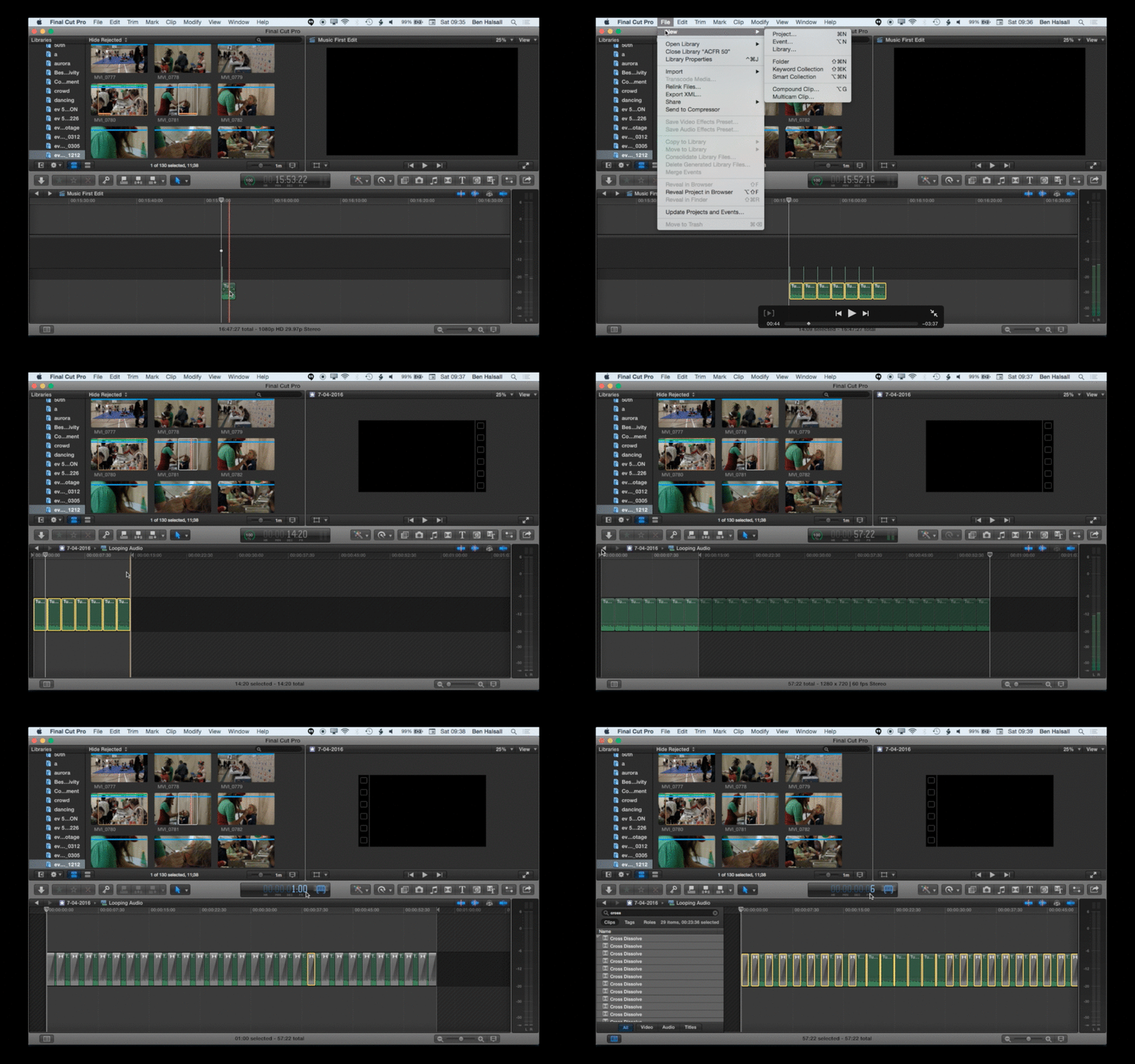
Final Cut Pro X: Tips for Looping Audio Using Transitions & Compound Clips #fcpxama #fcpx
Some useful tips for creating looping audio tracks right in Final Cut Pro X. You will learn how to create a compound clip, loop audio, extend your compound clips and change the duration of multiple transitions in one go.
KID KOALA: NUFONIA MUST FALL LIVE! – [Official Trailer] [art+research] via @YouTube
KID KOALA: NUFONIA MUST FALL LIVE! – [Official Trailer] [art+research] via @YouTube
KID KOALA: NUFONIA MUST FALL LIVE! – [Official Trailer] [art+research] via @YouTube
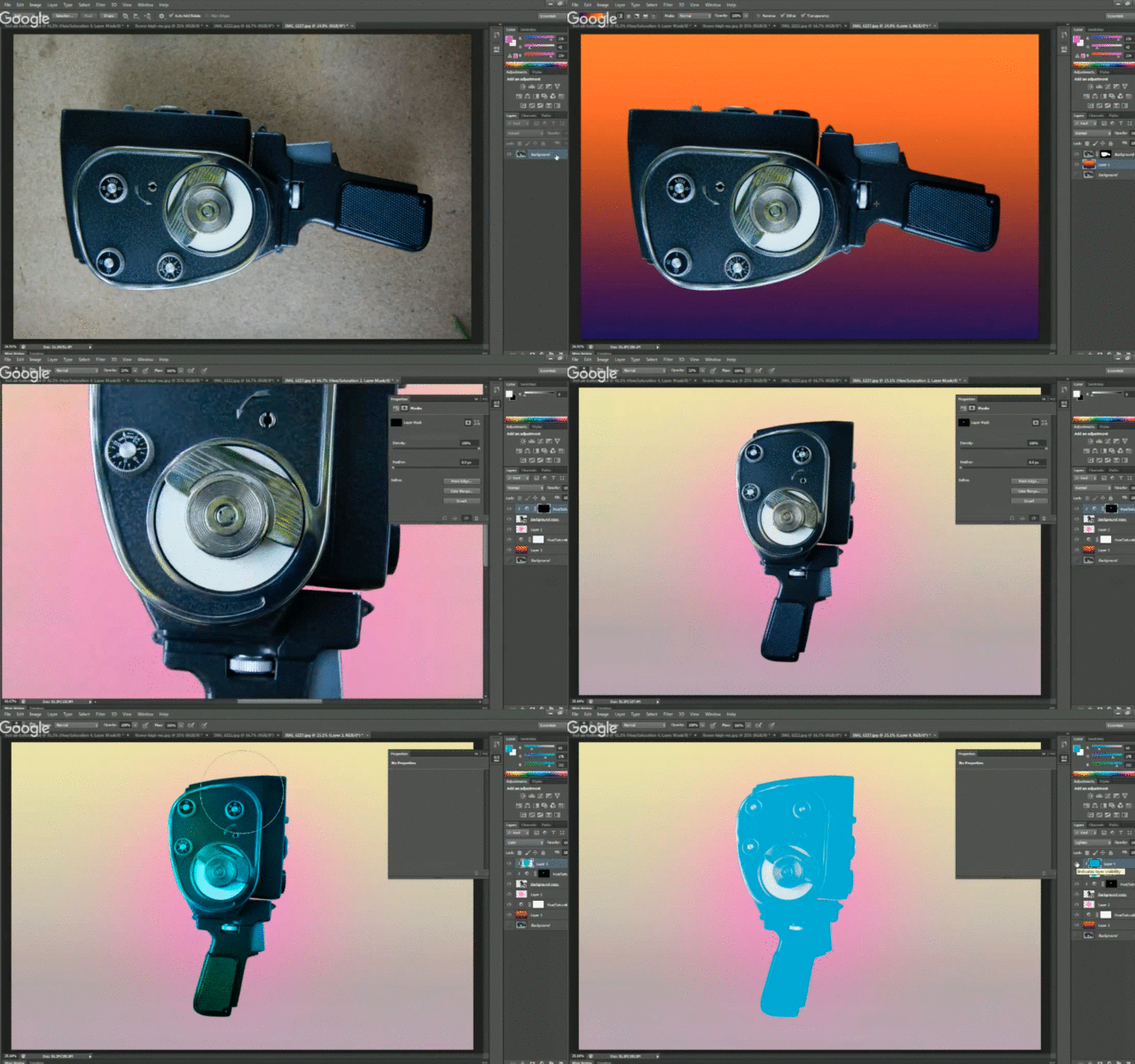
Photoshop: Cutting Out Objects, Gradients & Layer Effects #freecourse #photoshop
Check out my new Skillshare course that will be free throughout April 2016.
In this class you will firstly learn how to make selections, create layer masks, scale, rotate and edit image location.
You will then look at how you can create gradient backgrounds, used hue and saturation adjustment layers and add colour effects to your image cut-out.
The short animated GIF below give a flavour of what will be covered. Check out the full course here.
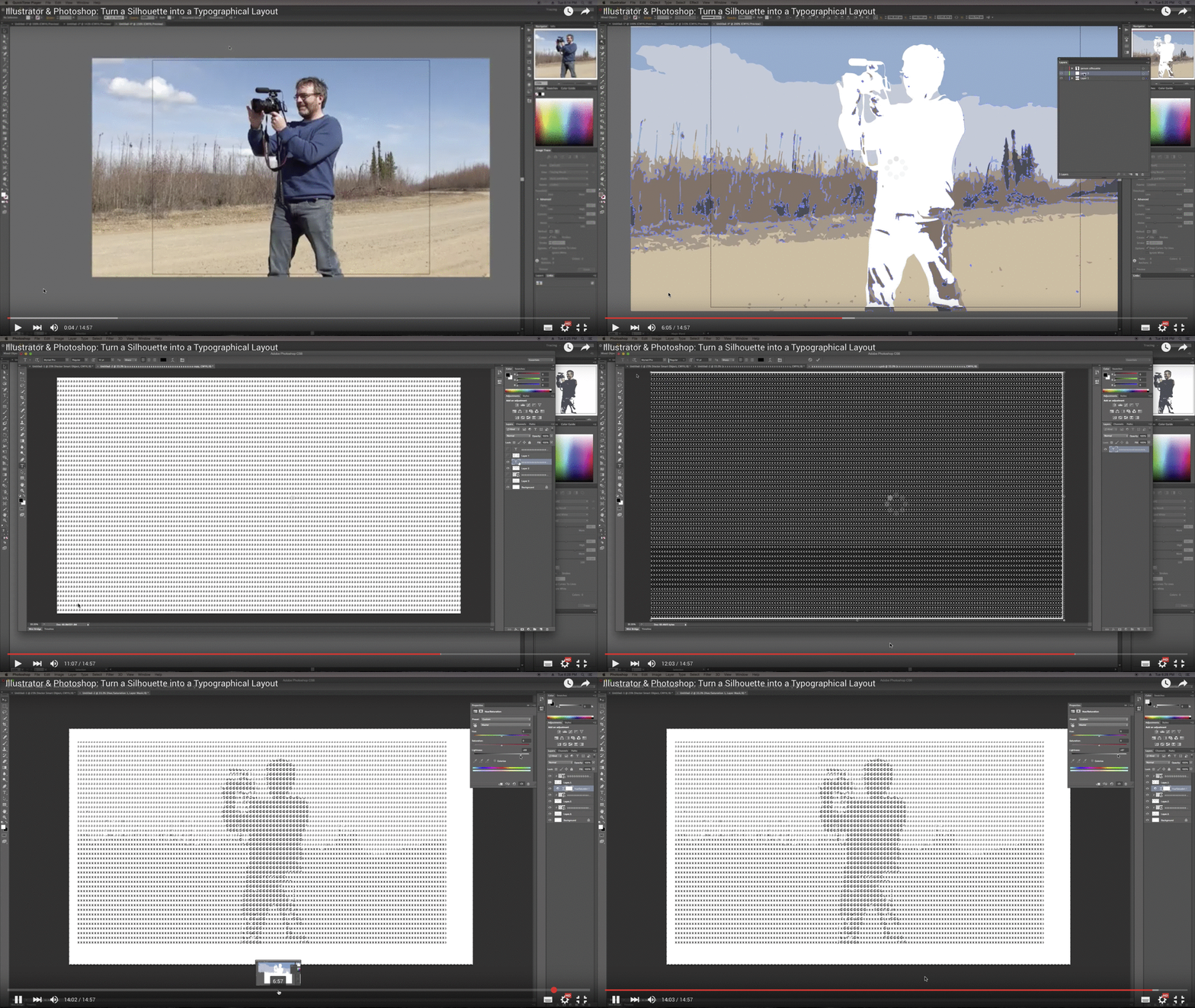
Illustrator & Photoshop: Turn a Silhouette into a Typographical Layout

Thanks goes to my student Shelby who reminded me that I’d made this video for one of my students taking the Digital Studio Tools course at the University of Regina in Fall 2015! Hope you have fun with it if you get a chance to check it out.
In this tutorial I use silhouettes created with the trace tool in adobe Illustrator as clipping masks in Adobe Photoshop. Type is then layered over the top of the silhouetted layers to create a cool ASCII’like effect. Then working with hue/saturation adjustment layers we look at how to colour the type on the layers below.
Digital Studio Tools will be running again at the University of Regina in Fall 2016.
InDesign: Create a Custom Newsletter Layout #YQR #InDesign #Tutorial #FreeClass
In this lesson you will learn how to create custom shapes for newsletters in which you can embed text & images. This tecnique is useful in lots of design situations where you want to break up your layout into different sections.
This lesson will be free on Skillshare throughout April. Just click here or on the image below to enrol for free.

Introduction to WordPress – 2 Day Workshop
Thanks for checking out my course “Introduction to WordPress”. I teach a range of design, video and web courses and have just added this new course to my catalogue. If you are interested in learning how to manage a web-site using WordPress, how to integrate it with your social media then look no further. If you have any questions then just drop me an e-mail at design@benhalsall.com.
Course Overview
This introduction to WordPress will get you running with the internet’s number one open-source web-design, content management and blogging platform.
You will learn everything you need to know to install and create your very own WordPress web–site. You will create posts, upload images and setting up forms, work with themes and learn how to customise your own sites design as well as implementing forms and the essential security features you need.
Who is this course for?
This course is designed for those new to managing a WordPress website. If you need to learn how to create and edit an existing site or want to learn how to create a new WordPress site from scratch then this course is for you. We cover some of the technical aspects of how to install your very own web-server but the main focus is on using WordPress as a site management tool.
Course Outline
Day 1 – Getting Started
- What is WordPress?
- WordPress.com or Wordpress.org
- Installing a Server
- Installing WordPress
- Setting Up Your First WordPress Site
- Creating a Blog Post
- Creating Pages
- Setting Up Your Navigation & Menus
- Working with Themes
- Basic Themes
- DIVI & Other Advanced Themes
- Working with Images
- Which Image Editor to Use?
- Resizing Image for upload
- Useful Image Effects
Day 2 – Plugins, Customisation & Security
- Plugins for WordPress
- Creating Forms
- Customizing Themes
- Introduction to HTML & CSS
- Upgrading a Theme
- Security & WordPress – Installing & Monitoring Security
- Social Media & WordPress – Linking Twitter, Facebook & other social media
- Creating a Bilingual site (optional)
If you have any questions about this or any of my other courses then please don’t hesitate to get in touch – design@benhalsall.com.