Final Cut Pro X Tutorial: Swish Pan Transition Editing Tips for FCPX 10.3

In this tutorial we look at how to create swish pan or whip pan edits in Final Cut Pro X 10.3. These cuts are a great way of keep the flow of your edit going and have been used by vloggers like Casey Neistat.

There are some great skills that you will pick up here that can be used throughout your editing. Enjoy!

What you will cover in this class:

  • Frame perfect edits
  • Editing shortcuts
  • Advanced timeline navigation
  • Camera tips & tricks


– – – – – – – – – – – – – – – – – – – – – – – – – – – – – – – – – – – – – – – – – – – – – – – – – – – – – – –

Equipment I am using in this video:
Canon XA20 Professional Video Camera – http://amzn.to/2troEAS
Boya By-M1 Lavalier Microphone – http://amzn.to/2s49FIx

I edit with:
Apple iMac 27-Inch Retina 5K Desktop – http://amzn.to/2t1Nsf7

– – – – – – – – – – – – – – – – – – – – – – – – – – – – – – – – – – – – – – – – – – – – – – – – – – – – – – –

About My Final Cut Pro X Tutorials
My Final Cut Pro X help tutorials aim to answer the tricky questions that users come across everyday. These are great classes if you want to learn Final Cut Pro X and each lesson or tip will guide you through in easy to follow steps.

If you are a beginner looking for tutorials in Final Cut Pro X take a look at my free introductory lesson “Final Cut Pro X Beginner Tutorial : Import, Edit & Export in 25 Minutes” which will get you started. This basic tutorial gives you a full run through of how to what you need to know in order to edit videos.

– – – – – – – – – – – – – – – – – – – – – – – – – – – – – – – – – – – – – – – – – – – – – – – – – – – – – – –

About My Live Online Training & In Classroom Training
I am a professional trainer of Final Cut Pro X, Adobe Premiere Pro, Adobe Photoshop, Adobe InDesign, Adobe Acrobat Pro & Adobe Illustrator.

I regularly teach classes in Regina and across Saskatchewan as well as running live online workshops. If you’d like to find out more then please drop me a message design@benhalsall.com or visit my web-site www.benhalsall.com .

– – – – – – – – – – – – – – – – – – – – – – – – – – – – – – – – – – – – – – – – – – – – – – – – – – – – – – –

Tags:
Make speed changes in Final Cut Pro X, Speed up Titles, Using Markers in Final Cut Pro X, Working with Markers, Final Cut Pro X tutorial, Final Cut Pro X Beginner Tutorial, Chapter Markers in FCPX, Ways to view audio clips – Apple FCPX, Adjust Timeline Settings – Waveforms – FCPX, Waveform Size in Timeline, Audio Editing in Final Cut Pro X, View Audio Waveform in Final Cut Pro X, View Waveform in FCPX,size of audio waveforms, Removing Lens Dirt & Dust, Dust Spot Removal in Final Cut Pro X, Fix Camera Spot, Garbage Matte Tutorial, Remove Dust and Dirt form Camera Shot, Connected Clips Tutorial, Layers tutorial for Final Cut Pro X, Mange Your Timeline in Final Cut Pro X, Connected Clips in Final Cut Pro X, Final Cut Pro X Beginner Tutorial, Beginner Lesson for Final Cut Pro X, Learn Final Cut Pro X for Beginners, Final Cut Pro X: An Beginner’s Introduction, The Beginners Guide to Learning FCPX | Ben Halsall, Final Cut Pro – Basics Training – Ben Halsall, Final Cut Pro X Essentials, Final Cut Pro X 101, fcpx tutorials for beginners, final cut pro beginner, final cut 7 tutorial beginner, final cut pro 7 tutorial beginner,fcpx tutorial free download,youtube final cut ben halsall, final cut pro basics, final cut pro basics 2015,final cut pro basics 2016,final cut pro basics 2017,final cut pro basics 2018,final cut pro basics 2019, final cut pro basics 2020,fcpx basics, final cut pro video tutorials,fcpx tutorial free download,final cut pro tutorial youtube,final cut pro 10 basics,how to use final cut pro 10,fcp 10 basic tutorial,fcpx tutorial pdf, final cut pro tutorials for beginners,final cut pro 7 basics,final cut pro 10 export,final cut pro 10 for windows,final cut pro 10 free download,final cut pro 7 tutorial beginner,youtube final cut pink floyd,final cut pro basics 2015, final cut pro intro, final cut pro x intro, final cut pro introduction, final cut pro x introduction, freeze frames in final cut pro x, speed change, speed ramp, working with titles, smart type overlays, overlay type in final cut pro x, overlay type using smart colour adjustment, split screen in final cut pro x, create split screen, copy and paste attributes, stop motion animation, timelapse animation, frame duration in final cut pro x, change frame duration in final cut pro x, final cut pro x beginner tutorial, add effects in final cut pro x, swish pan edit in final cut pro x, whip pan tutorial in fcpx
Cool Keyframed Type Animation Reveal in Final Cut Pro X Beginner Tutorial Class #fcpx #animation #videoediting #titles #lax #nyc #yvr #london

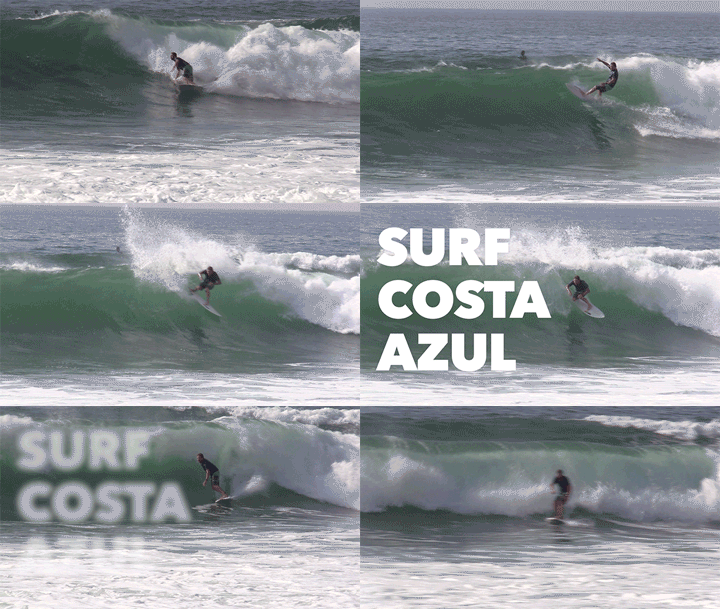
In this Final Cut Pro X beginner tutorial learn how to create a customised type reveal animation. This is a great way to add life to your titles as well as to get 100% control over the timing of your type.

Learn how to use the Draw Mask tool to great effect in this tutorial.

– – – – – – – – – – – – – – – – – – – – – – – – – – – – – – – – – – – – – – – – – – – – – – – – – – – – – – –

About My Final Cut Pro X Tutorials
My Final Cut Pro X help tutorials aim to answer the tricky questions that users come across everyday. These are great classes if you want to learn Final Cut Pro X and each lesson or tip will guide you through in easy to follow steps.

If you are a beginner looking for tutorials in Final Cut Pro X take a look at my free introductory lesson “Final Cut Pro X Beginner Tutorial : Import, Edit & Export in 25 Minutes” which will get you started. This basic tutorial gives you a full run through of how to what you need to know in order to edit videos.

– – – – – – – – – – – – – – – – – – – – – – – – – – – – – – – – – – – – – – – – – – – – – – – – – – – – – – –

About My Live Online Training & In Classroom Training
I am a professional trainer of Final Cut Pro X, Adobe Premiere Pro, Adobe Photoshop, Adobe InDesign, Adobe Acrobat Pro & Adobe Illustrator.

I regularly teach classes in Regina and across Saskatchewan as well as running live online workshops. If you’d like to find out more then please drop me a message design@benhalsall.com or visit my web-site www.benhalsall.com .

– – – – – – – – – – – – – – – – – – – – – – – – – – – – – – – – – – – – – – – – – – – – – – – – – – – – – – –
– – – – – – – – – – – – – – – – – – – – – – – – – – – – – – – – – – – – – – – – – – – – – – – – – – – – – – –

Tags:
Make speed changes in Final Cut Pro X, Speed up Titles, Using Markers in Final Cut Pro X, Working with Markers, Final Cut Pro X tutorial, Final Cut Pro X Beginner Tutorial, Chapter Markers in FCPX, Ways to view audio clips – Apple FCPX, Adjust Timeline Settings – Waveforms – FCPX, Waveform Size in Timeline, Audio Editing in Final Cut Pro X, View Audio Waveform in Final Cut Pro X, View Waveform in FCPX,size of audio waveforms, Removing Lens Dirt & Dust, Dust Spot Removal in Final Cut Pro X, Fix Camera Spot, Garbage Matte Tutorial, Remove Dust and Dirt form Camera Shot, Connected Clips Tutorial, Layers tutorial for Final Cut Pro X, Mange Your Timeline in Final Cut Pro X, Connected Clips in Final Cut Pro X, Final Cut Pro X Beginner Tutorial, Beginner Lesson for Final Cut Pro X, Learn Final Cut Pro X for Beginners, Final Cut Pro X: An Beginner’s Introduction, The Beginners Guide to Learning FCPX | Ben Halsall, Final Cut Pro – Basics Training – Ben Halsall, Final Cut Pro X Essentials, Final Cut Pro X 101, fcpx tutorials for beginners, final cut pro beginner, final cut 7 tutorial beginner, final cut pro 7 tutorial beginner,fcpx tutorial free download,youtube final cut ben halsall, final cut pro basics, final cut pro basics 2015,final cut pro basics 2016,final cut pro basics 2017,final cut pro basics 2018,final cut pro basics 2019, final cut pro basics 2020,fcpx basics, final cut pro video tutorials,fcpx tutorial free download,final cut pro tutorial youtube,final cut pro 10 basics,how to use final cut pro 10,fcp 10 basic tutorial,fcpx tutorial pdf, final cut pro tutorials for beginners,final cut pro 7 basics,final cut pro 10 export,final cut pro 10 for windows,final cut pro 10 free download,final cut pro 7 tutorial beginner,youtube final cut pink floyd,final cut pro basics 2015, final cut pro intro, final cut pro x intro, final cut pro introduction, final cut pro x introduction, freeze frames in final cut pro x, speed change, speed ramp, working with titles, smart type overlays, overlay type in final cut pro x, overlay type using smart colour adjustment, split screen in final cut pro x, create split screen, copy and paste attributes, draw mask tool in final cut pro x, draw mask animation, fcpx type animation, fcpx text animation, final cut pro x type tutorial, final cut pro type beginner class, animated type reveal fcpx

Final Cut Pro X Tutorial: Modify Title Transition Durations Quickly & Easily in FCPX 10.3 #fcpx #yyc #calgary #yqr

If you are adding layered titles and need to add transitions then controlling the speed you want them to fade or move in is important to control depending upon the pace of your edit.

This easy to follow FCPX 10.3 class shows how to select and modify multiple transitions quickly and easily.

– – – – – – – – – – – – – – – – – – – – – – – – – – – – – – – – – – – – – – – – – – – – – – – – – – – – – – –

About My Final Cut Pro X Tutorials
My Final Cut Pro X help tutorials aim to answer the tricky questions that users come across everyday. These are great classes if you want to learn Final Cut Pro X and each lesson or tip will guide you through in easy to follow steps.

If you are a beginner looking for tutorials in Final Cut Pro X take a look at my free introductory lesson “Final Cut Pro X Beginner Tutorial : Import, Edit & Export in 25 Minutes” which will get you started. This basic tutorial gives you a full run through of how to what you need to know in order to edit videos.

– – – – – – – – – – – – – – – – – – – – – – – – – – – – – – – – – – – – – – – – – – – – – – – – – – – – – – –

About My Live Online Training & In Classroom Training
I am a professional trainer of Final Cut Pro X, Adobe Premiere Pro, Adobe Photoshop, Adobe InDesign, Adobe Acrobat Pro & Adobe Illustrator.

I regularly teach classes in Regina and across Saskatchewan as well as running live online workshops. If you’d like to find out more then please drop me a message design@benhalsall.com or visit my web-site www.benhalsall.com .

– – – – – – – – – – – – – – – – – – – – – – – – – – – – – – – – – – – – – – – – – – – – – – – – – – – – – – –

Tags:
Make speed changes in Final Cut Pro X, Speed up Titles, Using Markers in Final Cut Pro X, Working with Markers, Final Cut Pro X tutorial, Final Cut Pro X Beginner Tutorial, Chapter Markers in FCPX, Ways to view audio clips – Apple FCPX, Adjust Timeline Settings – Waveforms – FCPX, Waveform Size in Timeline, Audio Editing in Final Cut Pro X, View Audio Waveform in Final Cut Pro X, View Waveform in FCPX,size of audio waveforms, Removing Lens Dirt & Dust, Dust Spot Removal in Final Cut Pro X, Fix Camera Spot, Garbage Matte Tutorial, Remove Dust and Dirt form Camera Shot, Connected Clips Tutorial, Layers tutorial for Final Cut Pro X, Mange Your Timeline in Final Cut Pro X, Connected Clips in Final Cut Pro X, Final Cut Pro X Beginner Tutorial, Beginner Lesson for Final Cut Pro X, Learn Final Cut Pro X for Beginners, Final Cut Pro X: An Beginner’s Introduction, The Beginners Guide to Learning FCPX | Ben Halsall, Final Cut Pro – Basics Training – Ben Halsall, Final Cut Pro X Essentials, Final Cut Pro X 101, fcpx tutorials for beginners, final cut pro beginner, final cut 7 tutorial beginner, final cut pro 7 tutorial beginner,fcpx tutorial free download,youtube final cut ben halsall, final cut pro basics, final cut pro basics 2015,final cut pro basics 2016,final cut pro basics 2017,final cut pro basics 2018,final cut pro basics 2019, final cut pro basics 2020,fcpx basics, final cut pro video tutorials,fcpx tutorial free download,final cut pro tutorial youtube,final cut pro 10 basics,how to use final cut pro 10,fcp 10 basic tutorial,fcpx tutorial pdf, final cut pro tutorials for beginners,final cut pro 7 basics,final cut pro 10 export,final cut pro 10 for windows,final cut pro 10 free download,final cut pro 7 tutorial beginner,youtube final cut pink floyd,final cut pro basics 2015, final cut pro intro, final cut pro x intro, final cut pro introduction, final cut pro x introduction, freeze frames in final cut pro x, speed change, speed ramp, working with titles, smart type overlays, overlay type in final cut pro x, overlay type using smart colour adjustment, split screen in final cut pro x, create split screen, copy and paste attributes, stop motion animation, timelapse animation, frame duration in final cut pro x, change frame duration in final cut pro x, final cut pro x beginner tutorial, add effects in final cut pro x

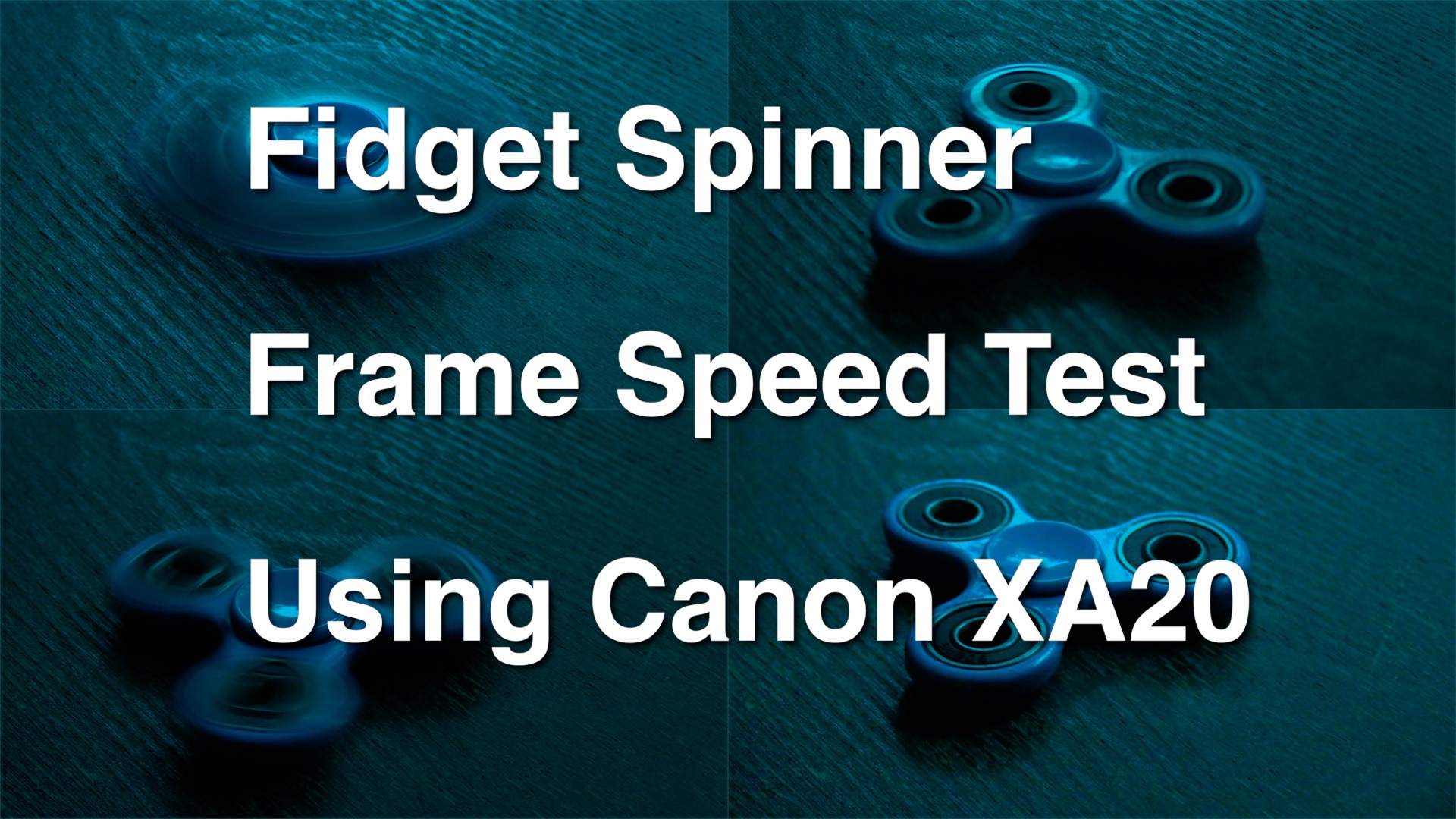
Fidget Spinner Frame Speed & F-Stop Test Shot with Canon XA20 and Edited with Final Cut Pro X

Fidget spinners right! I thought this would be a fun little experiment, enjoy!

I also show how to create the split screen like this in the video below.

Canon XA20 Professional Camcorder: http://amzn.to/2sFeoES

A little sidestep from my regular Final Cut Pro X tutorials I know but it seemed like a good way to demonstrate how frame speed can affect the video you record.

I created the split screen like this:

Training Course: Create a YouTube Channel in a Day #yqr #yvr #yxe #yeg #yyc

In this intense one day class you will learn the essential technical and creative skills you will need to develop in order to create your own YouTube channel.

By the end of the day you will have an excellent grounding in the hardware, software and creative skills you will need to launch a successful YouTube channel.

This class is aimed at freelance professionals wishing to promote their business or product by taking a hands on approach to creating video that can be uploaded and used on YouTube and other channels like Facebook, Twitter, Instagram and Vimeo.

An intermediate to advanced understanding of the Windows or Mac operating system is required to take this class.

Getting Started

  • Introduction to YouTube & the Tools You Will Need
  • Introduction to Creator Studio – YouTube’s publishing platform
  • Cameras, Sound, Computers & Editing Software – An Overview of the Equipment You Will Need
  • The Production Process

Group Activity – Planning, Shooting & Editing a Channel Intro Video

  • Shooting Your Video – Hands on Activity
  • Camera Tips – Framing & Planning Your Shots
  • Working with Sound – Getting Good Quality Sound on a Budget
  • Capturing Your Footage to Your Computer
  • Editing Your Footage with iMovie, Premiere Elements, Premiere Pro or Final Cut Pro X

Exporting & Uploading

  • Exporting Your Video
  • Creating a Video Thumbnail

Channel Design & Promoting Your Channel

  • Designing Your Channel’s Layout
  • Using Social Media to Promote Your Channel

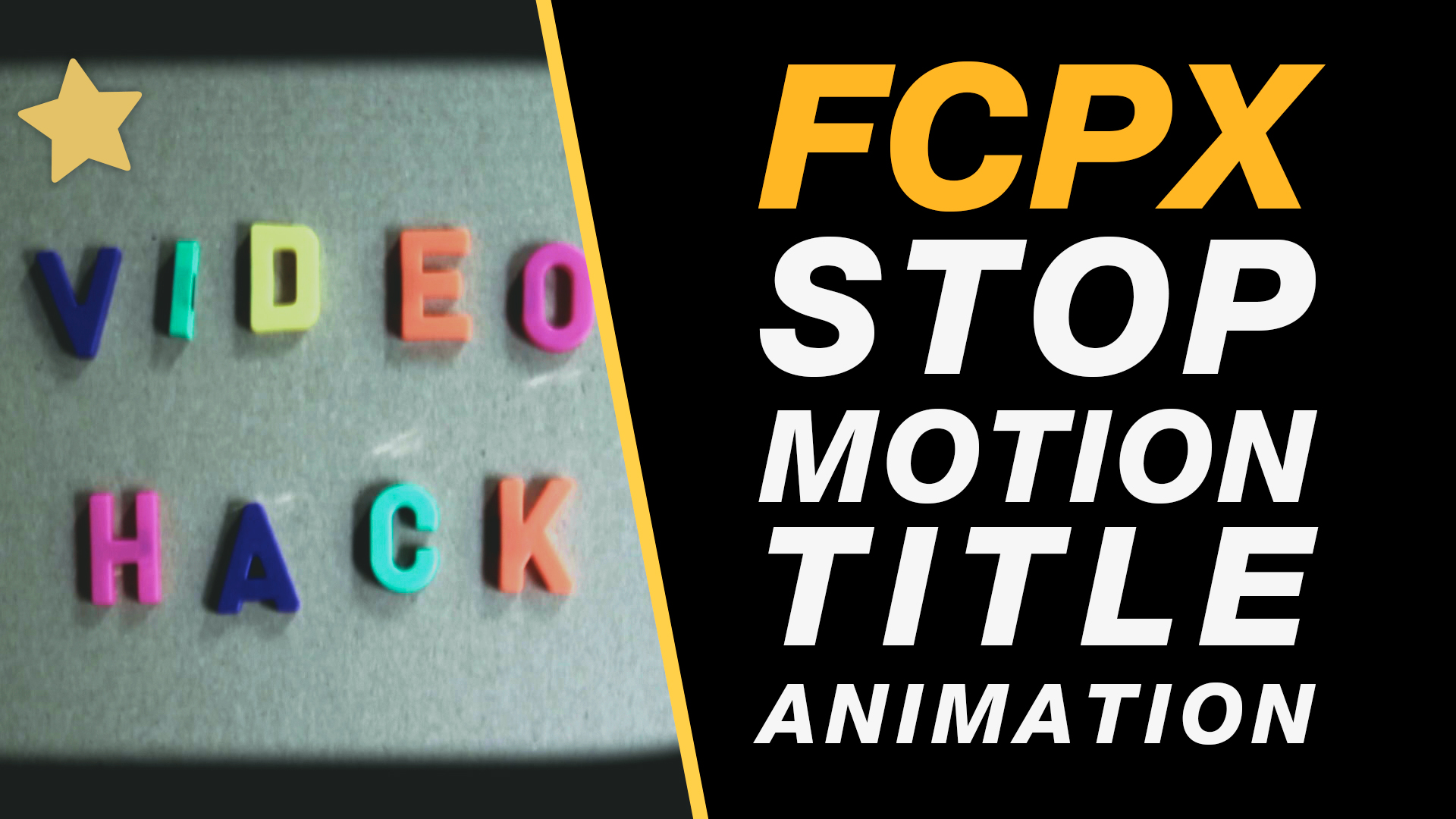
Final Cut Pro X Tutorial: Stop Motion Type Title Animation Class for Beginners #fcpx #finalcutprox #videoediting

In this beginner tutorial you will learn the following techniques in Final Cut Pro X:

– create an animation from a sequence of images
(useful for stop-motion & image time-lapses)

– change the default length of images so they appear
in your edit at 1frame not 10 seconds.

– create a freeze-frame

– add image shape masks to video

– add effects to video

– – – – – – – – – – – – – – – – – – – – – – – – – – – – – – – – – – – – – – – – – – – – – – – – – – – – – – –

Equipment I am using in this video:
Canon EOS Rebel T6 Digital SLR Camera – http://amzn.to/2teCPWo

I edit with:
Apple iMac 27-Inch Retina 5K Desktop – http://amzn.to/2t1Nsf7

– – – – – – – – – – – – – – – – – – – – – – – – – – – – – – – – – – – – – – – – – – – – – – – – – – – – – – –

About My Final Cut Pro X Tutorials
My Final Cut Pro X help tutorials aim to answer the tricky questions that users come across everyday. These are great classes if you want to learn Final Cut Pro X and each lesson or tip will guide you through in easy to follow steps.

If you are a beginner looking for tutorials in Final Cut Pro X take a look at my free introductory lesson “Final Cut Pro X Beginner Tutorial : Import, Edit & Export in 25 Minutes” which will get you started. This basic tutorial gives you a full run through of how to what you need to know in order to edit videos.

– – – – – – – – – – – – – – – – – – – – – – – – – – – – – – – – – – – – – – – – – – – – – – – – – – – – – – –

About My Live Online Training & In Classroom Training
I am a professional trainer of Final Cut Pro X, Adobe Premiere Pro, Adobe Photoshop, Adobe InDesign, Adobe Acrobat Pro & Adobe Illustrator.

I regularly teach classes in Regina and across Saskatchewan as well as running live online workshops. If you’d like to find out more then please drop me a message design@benhalsall.com or visit my web-site www.benhalsall.com .

– – – – – – – – – – – – – – – – – – – – – – – – – – – – – – – – – – – – – – – – – – – – – – – – – – – – – – –

Tags:
Make speed changes in Final Cut Pro X, Speed up Titles, Using Markers in Final Cut Pro X, Working with Markers, Final Cut Pro X tutorial, Final Cut Pro X Beginner Tutorial, Chapter Markers in FCPX, Ways to view audio clips – Apple FCPX, Adjust Timeline Settings – Waveforms – FCPX, Waveform Size in Timeline, Audio Editing in Final Cut Pro X, View Audio Waveform in Final Cut Pro X, View Waveform in FCPX,size of audio waveforms, Removing Lens Dirt & Dust, Dust Spot Removal in Final Cut Pro X, Fix Camera Spot, Garbage Matte Tutorial, Remove Dust and Dirt form Camera Shot, Connected Clips Tutorial, Layers tutorial for Final Cut Pro X, Mange Your Timeline in Final Cut Pro X, Connected Clips in Final Cut Pro X, Final Cut Pro X Beginner Tutorial, Beginner Lesson for Final Cut Pro X, Learn Final Cut Pro X for Beginners, Final Cut Pro X: An Beginner’s Introduction, The Beginners Guide to Learning FCPX | Ben Halsall, Final Cut Pro – Basics Training – Ben Halsall, Final Cut Pro X Essentials, Final Cut Pro X 101, fcpx tutorials for beginners, final cut pro beginner, final cut 7 tutorial beginner, final cut pro 7 tutorial beginner,fcpx tutorial free download,youtube final cut ben halsall, final cut pro basics, final cut pro basics 2015,final cut pro basics 2016,final cut pro basics 2017,final cut pro basics 2018,final cut pro basics 2019, final cut pro basics 2020,fcpx basics, final cut pro video tutorials,fcpx tutorial free download,final cut pro tutorial youtube,final cut pro 10 basics,how to use final cut pro 10,fcp 10 basic tutorial,fcpx tutorial pdf, final cut pro tutorials for beginners,final cut pro 7 basics,final cut pro 10 export,final cut pro 10 for windows,final cut pro 10 free download,final cut pro 7 tutorial beginner,youtube final cut pink floyd,final cut pro basics 2015, final cut pro intro, final cut pro x intro, final cut pro introduction, final cut pro x introduction, freeze frames in final cut pro x, speed change, speed ramp, working with titles, smart type overlays, overlay type in final cut pro x, overlay type using smart colour adjustment, split screen in final cut pro x, create split screen, copy and paste attributes, stop motion animation, timelapse animation, frame duration in final cut pro x, change frame duration in final cut pro x, final cut pro x beginner tutorial, add effects in final cut pro x

Sign up for free Final Cut Pro Tips & Tricks #fcpx #free

[et_pb_section admin_label=”section”][et_pb_row admin_label=”row”][et_pb_column type=”4_4″][et_pb_text admin_label=”Text” background_layout=”light” text_orientation=”left” use_border_color=”off” border_color=”#ffffff” border_style=”solid”]

Sign-up below for Free Final Cut Pro X Tips & Tricks

I will regularly be sharing free tips and tricks that will help you learn more about Final Cut Pro X. Just drop me your e-mail address below and you can also make a request too. Awesome!

[/et_pb_text][et_pb_contact_form admin_label=”Contact Form” captcha=”on” use_redirect=”off” input_border_radius=”0″ use_border_color=”off” border_color=”#ffffff” border_style=”solid” custom_button=”off” button_letter_spacing=”0″ button_use_icon=”default” button_icon_placement=”right” button_on_hover=”on” button_letter_spacing_hover=”0″ email=”design@benhalsall.com” title=”Sign up for free tutorials” custom_message=”Name: %%name%%
Email: %%email%%
Message: %%message%%” success_message=”Thanks for signing up for free tips & tricks. Happy editing!”] [et_pb_contact_field field_title=”Name” field_type=”input” field_id=”Name” required_mark=”on” fullwidth_field=”off” form_field_font_select=”default” form_field_font=”||||” use_border_color=”off” border_style=”solid”] [/et_pb_contact_field][et_pb_contact_field field_title=”Email Address” field_type=”email” field_id=”Email” required_mark=”on” fullwidth_field=”off”] [/et_pb_contact_field][et_pb_contact_field field_title=”What kind of free tips & tricks would you like?” field_type=”text” field_id=”Message” required_mark=”on” fullwidth_field=”on” form_field_font_select=”default” form_field_font=”||||” use_border_color=”off” border_style=”solid”] [/et_pb_contact_field] [/et_pb_contact_form][/et_pb_column][/et_pb_row][/et_pb_section]

Final Cut Pro X – The Essentials | Vancouver – 1st to 3rd November 2017

Get started with Final Cut Pro X with this awesome three day course.

Final Cut Pro X – The Essentials covers everything from the basic interface, editing and timeline management to creating a split screen the topics covered will help you on your way to getting the very best out of your video projects.

So whether you are looking to professionalise your editing skills, add some class to your YouTube channel or want to add Final Cut Pro X to your skills in Adobe Premiere Pro or Avid this course will do the job.

Take a look at the course outline below for more information and get in touch if you have any questions.

Does it fit your schedule?
This two day course can be taught in person, online and can also be broken up into two hour blocks to suit your schedule.

Ask me anything about this course or request a quote.

Location, location, location!

Course Outline

Getting Started
Introduction & Tour of The Interface
Setting Up Your Project – Libraries, Events & the Browser
Importing Video, Images & Audio

Editing – An Introduction
Marking Clips – selecting areas of your clips to use in an edit
Editing – Drag and drop editing
Editing Shortcuts – Speed Up Your Editing

Adjusting Your Edit
Split your clips on the timeline
Trim & Refine Your Clips On The Timeline
Move & Shuffle Clips on The Timeline

Refining Your Edit
Add transitions and fades to black
Adding Cutaways & Working With Video Layers

Sound
Adding Audio Layers
Creating Audio Crossfades
Managing Audio Levels
Adding Sound Effects

Essential Effects
Adding Effects
Colour Adjustments – The Basics Of Colour Grading
Split Screen – create a split screen using cropping & rescale
Retime – Speed Up and Slow Down Clips on The Timeline

Text & Graphics
Adding Titles To Your Edit
Add Lower Thirds
Add Shapes & Graphics
Importing Images & PDFs
Create Scrolling Credits (Credit Rolls)

Customising Your Project
Custom Project Setup – Control Resolution and Framerate
Rescale a Projects Resolution

Editing Tips & Tricks
Using J or L Cuts To Avoid Jump Cuts
Export Your Video To YouTube or Vimeo
Export A High Quality Video

Compositing & Effects
Image Transparency & Animation
From Photoshop to Final Cut – How to Animate Your Photoshop Layers
Stabilise Your Video Footage
Make Your Video Black & White or Add A Color Tint

Backing Up & Technical Considerations
Essential File Management Considerations with Video
Backing Up – Back up and Move a Project to an External Drive
Improving Your System To Work With Video

Ask Me Anything About Final Cut Pro X – The Essentials

You can send me an e-mail at design@benhalsall.com or use the form below. I look forward to hearing from you.

Request a course, location & dates >>

    Get in touch

    Your Name

    Your Email

    Your Location

    Wherever you are I am happy to provide a quote. I am based in Kelowna but can easily provide a quote for classes across Canada. Over the past few years I have taught in-house classes in Ottawa, Regina, Vancouver, Calgary & Montréal.

    Your Phone Number

    Often its quicker to answer your questions about training & other projects over the phone.

    What would you like to ask me about?

    Sign up to for course info & schedule.

    Your Message

    Final Cut Pro X 10.3 Beginner Tutorial – Timeline shortcuts that will help you edit with Ease #nyc #lax #yvr #lhr #london

    [et_pb_section admin_label=”section”][et_pb_row admin_label=”row”][et_pb_column type=”2_3″][et_pb_text admin_label=”Text” background_layout=”light” text_orientation=”left” use_border_color=”off” border_color=”#ffffff” border_style=”solid”]

    Learn shortcuts that will help you to move around your timeline with ease. Create edits, make selections as you move fluidly around your edit. This easy to follow tutorial includes shortcuts that I use daily to help me edit quicker and more easily.

    – – – – – – – – – – – – – – – – – – – – – – – – – – – – – – – – – – – – – – – – – – – – – – – – – – – – – – –

    About My Final Cut Pro X Tutorials
    My Final Cut Pro X help tutorials aim to answer the tricky questions that users come across everyday. These are great classes if you want to learn Final Cut Pro X and each lesson or tip will guide you through in easy to follow steps.

    If you are a beginner looking for tutorials in Final Cut Pro X take a look at my free introductory lesson “Final Cut Pro X Beginner Tutorial : Import, Edit & Export in 25 Minutes” which will get you started. This basic tutorial gives you a full run through of how to what you need to know in order to edit videos.

    – – – – – – – – – – – – – – – – – – – – – – – – – – – – – – – – – – – – – – – – – – – – – – – – – – – – – – –

    About My Live Online Training & In Classroom Training
    I am a professional trainer of Final Cut Pro X, Adobe Premiere Pro, Adobe Photoshop, Adobe InDesign, Adobe Acrobat Pro & Adobe Illustrator.

    I regularly teach classes in Regina and across Saskatchewan as well as running live online workshops. If you’d like to find out more then please drop me a message design@benhalsall.com or visit my web-site www.benhalsall.com .

    – – – – – – – – – – – – – – – – – – – – – – – – – – – – – – – – – – – – – – – – – – – – – – – – – – – – – – –
    – – – – – – – – – – – – – – – – – – – – – – – – – – – – – – – – – – – – – – – – – – – – – – – – – – – – – – –

    Tags:
    Using Markers in Final Cut Pro X, Working with Markers, Final Cut Pro X tutorial, Final Cut Pro X Beginner Tutorial, Chapter Markers in FCPX, Ways to view audio clips – Apple FCPX, Adjust Timeline Settings – Waveforms – FCPX, Waveform Size in Timeline, Audio Editing in Final Cut Pro X, View Audio Waveform in Final Cut Pro X, View Waveform in FCPX,size of audio waveforms, Removing Lens Dirt & Dust, Dust Spot Removal in Final Cut Pro X, Fix Camera Spot, Garbage Matte Tutorial, Remove Dust and Dirt form Camera Shot, Connected Clips Tutorial, Layers tutorial for Final Cut Pro X, Mange Your Timeline in Final Cut Pro X, Connected Clips in Final Cut Pro X, Final Cut Pro X Beginner Tutorial, Beginner Lesson for Final Cut Pro X, Learn Final Cut Pro X for Beginners, Final Cut Pro X: An Beginner’s Introduction, The Beginners Guide to Learning FCPX | Ben Halsall, Final Cut Pro – Basics Training – Ben Halsall, Final Cut Pro X Essentials, Final Cut Pro X 101, fcpx tutorials for beginners, final cut pro beginner, final cut 7 tutorial beginner, final cut pro 7 tutorial beginner,fcpx tutorial free download,youtube final cut ben halsall, final cut pro basics, final cut pro basics 2015,final cut pro basics 2016,final cut pro basics 2017,final cut pro basics 2018,final cut pro basics 2019, final cut pro basics 2020,fcpx basics, final cut pro video tutorials,fcpx tutorial free download,final cut pro tutorial youtube,final cut pro 10 basics,how to use final cut pro 10,fcp 10 basic tutorial,fcpx tutorial pdf, final cut pro tutorials for beginners,final cut pro 7 basics,final cut pro 10 export,final cut pro 10 for windows,final cut pro 10 free download,final cut pro 7 tutorial beginner,youtube final cut pink floyd,final cut pro basics 2015, final cut pro intro, final cut pro x intro, final cut pro introduction, final cut pro x introduction, shortcut keys in final cut pro x, keyboard shortcuts for fcpx, final cut pro x shortcuts

    [/et_pb_text][/et_pb_column][et_pb_column type=”1_3″][et_pb_text admin_label=”Patron” background_layout=”light” text_orientation=”left” use_border_color=”on” border_color=”#e09900″ border_style=”solid” border_width=”2px” custom_padding=”3px|3px|3px|20px”]

    If you like what you see, and feel like it, support me on Patreon: https://www.patreon.com/benhalsall it means a lot and makes a big difference!

    [/et_pb_text][et_pb_text admin_label=”Text” background_layout=”light” text_orientation=”left” use_border_color=”off” border_color=”#ffffff” border_style=”solid”]


    [/et_pb_text][et_pb_text admin_label=”apple” background_layout=”light” text_orientation=”left” use_border_color=”off” border_color=”#ffffff” border_style=”solid”] [/et_pb_text][et_pb_text admin_label=”Adobe Affiliate” saved_tabs=”all” background_layout=”light” text_orientation=”left” use_border_color=”off” border_color=”#ffffff” border_style=”solid”]

    [/et_pb_text][/et_pb_column][/et_pb_row][/et_pb_section]